- Headless CMS
- Next.js
- WordPress
What is a headless CMS with Next.js, and how is it better than traditional WordPress?
A plain-English guide to headless CMS and Next.js: how it works, how it compares to a classic WordPress site on speed, security, design and cost, and when it isn't worth it.
WordPress runs a huge share of the web, more than 40% of all websites by most counts. It's familiar, it's flexible, and almost every marketing team has used it. So when a developer suggests going "headless" with Next.js, the first reaction is usually: why change something that works?
This article explains what a headless CMS is, how it works with Next.js, and where it beats a traditional WordPress site (and where it doesn't). No jargon without an explanation, and no pretending it's the right choice for everyone.
First, what is a CMS?
A CMS (content management system) is the software your team uses to write and manage the content of a website: pages, blog posts, images, product descriptions. Instead of editing code, you log in, type into a form, and press Publish.
A traditional CMS like WordPress does two separate jobs at once. It stores and manages your content (the back end, or the "body"), and it also turns that content into the web pages your visitors see, using a theme and plugins (the front end, or the "head").
How a traditional WordPress site works
When someone opens a page on a classic WordPress site, a chain of work happens on your server, every single time, unless a caching plugin has saved a copy:
- The visitor's browser asks your server for the page.
- WordPress starts up in PHP and loads your theme and every active plugin.
- It runs database queries to fetch the post, the menu, the sidebar widgets and the settings.
- The theme assembles all of it into HTML, and plugins add their own scripts and styles.
- The finished page is sent back, and only then can the browser start drawing it.
This is called a monolithic setup: one system handles content, design and delivery. It's simple to start with, and it's why WordPress became so popular. But the same design is behind most of the problems people run into as a site grows: slow pages, plugin conflicts, security updates and layouts that are hard to change without breaking something.
What "headless" means
A headless CMS keeps the body and removes the head. It only stores and manages your content, and hands it out through an API: a structured doorway that other software can ask for content. It doesn't decide what the website looks like at all.
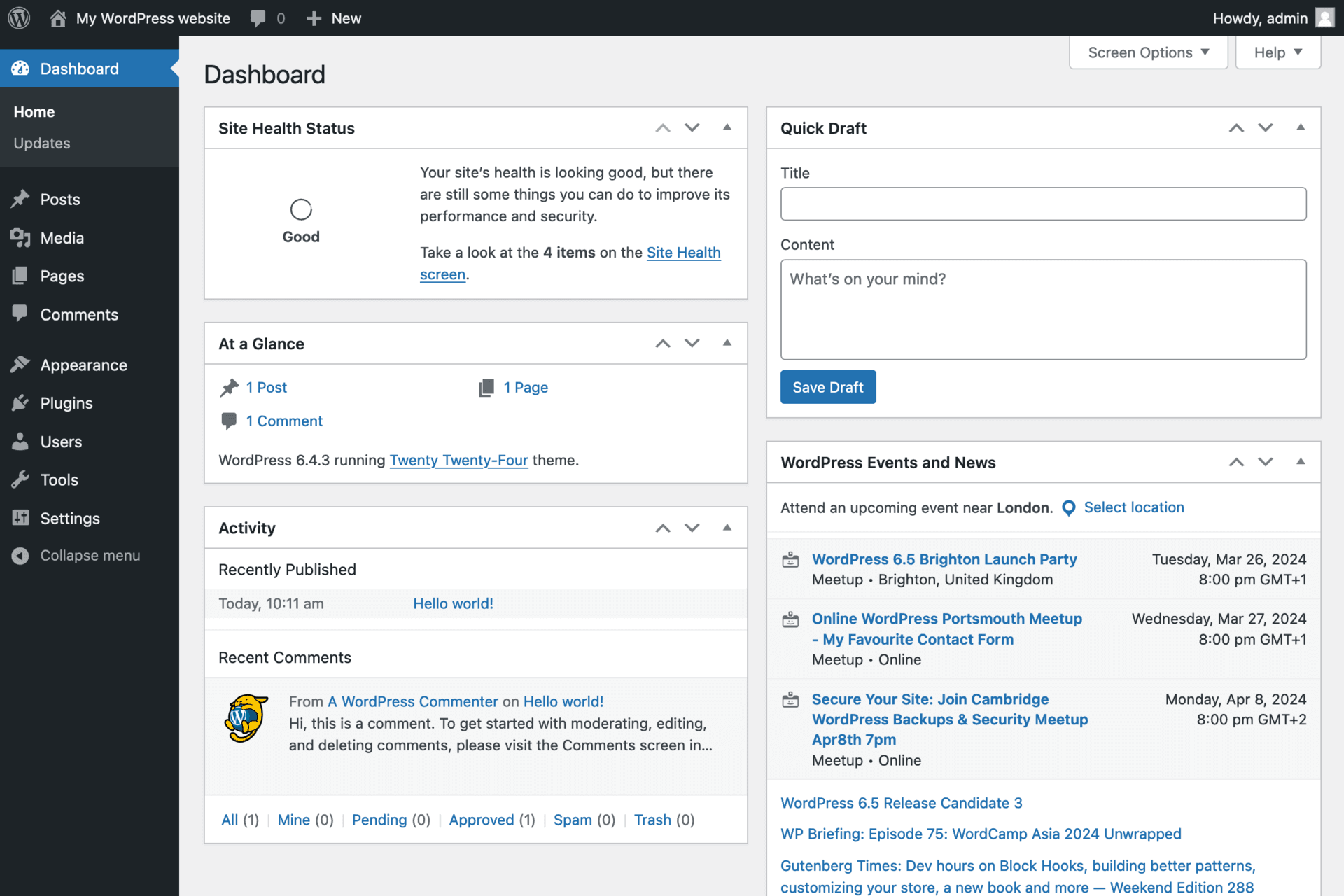
Something else builds the website. In this article, that something is Next.js. Some CMSs were built headless from day one (Sanity, Contentful, Strapi, Storyblok and Payload are popular examples). WordPress can also run headless: the free WPGraphQL plugin opens an API, and the WordPress admin carries on working exactly as before.
Where Next.js fits in
Next.js is a framework for building websites and web apps with React, maintained by Vercel and used by companies like Nike, Notion, TikTok and The Washington Post. In a headless setup, it's the new head: it asks the CMS for content and turns it into pages.
The key difference is when that work happens. Instead of building each page while the visitor waits, Next.js can build pages ahead of time (static generation) and store the finished HTML on a CDN: a network of servers in dozens of cities around the world. A visitor in London gets the page from a server near London; a visitor in Sydney gets it from Sydney.
So how do new posts go live?
This is the question every editor asks, and the answer is: in seconds. When you press Publish, the CMS sends a short message (a webhook) to the Next.js site, which rebuilds only the pages that changed, such as the new post, the blog index and the category page. Next.js calls this on-demand revalidation. Everything else stays cached and fast.
- You write and publish in the CMS, the same way as before.
- The CMS tells Next.js which content changed.
- Next.js fetches the new content through the API and rebuilds just those pages.
- The CDN serves the fresh pages to every visitor, worldwide.
Draft previews work too: a Preview button in the CMS opens your unpublished draft on the real Next.js site, so you see exactly what visitors will see before it goes live.
How headless with Next.js beats traditional WordPress
1. Speed
Because pages are built ahead of time and served from a CDN, there's no PHP to run and no database to query when someone visits. The server's only job is to hand over a finished file. Next.js also optimises images automatically (resizing them and serving modern formats like WebP and AVIF), loads only the JavaScript each page needs, and handles fonts without the layout jumping around.
Speed is not just about feel. Google uses Core Web Vitals as a ranking signal: a good score means the main content shows within 2.5 seconds (LCP), the page responds to taps and clicks within 200 milliseconds (INP), and the layout stays stable while it loads (CLS under 0.1). A heavy WordPress theme with a dozen plugins often struggles with all three. A well-built Next.js front end passes them by default.
2. Security
Most hacked WordPress sites aren't hacked through WordPress itself but through a theme or plugin with a known hole. Yearly reports from security firms like Patchstack and Wordfence consistently find that the large majority of new WordPress vulnerabilities are in plugins. On a classic site, every one of those plugins runs on the same public server your visitors use.
In a headless setup, visitors never touch WordPress. They only ever receive ready-made pages from the CDN. The WordPress admin can sit on a separate address, behind a firewall or a login wall, and plugins that drew the front end (sliders, popups, page builders) are no longer needed at all. There's simply less exposed to attack.
3. Design freedom
With WordPress, the design is limited by what your theme or page builder allows. Anything outside that means fighting the theme, adding another plugin, or custom PHP that breaks on the next update. With Next.js, the front end is custom code: any layout, animation or interaction your designer can draw can be built, and it stays fast because nothing unused is loaded.
4. Handling traffic spikes
If a post goes viral or a campaign launches, a classic WordPress server has to build a page for every visitor and can slow down or crash under the load. Static pages on a CDN handle the same rush without breaking a sweat, because serving a ready-made file is cheap and the CDN spreads the load across many servers.
5. Room to grow beyond a website
Next.js is a full application framework, not just a website builder. Customer logins, bookings, payments with Stripe, dashboards and AI features can live in the same site, next to your CMS content, without stacking more plugins onto WordPress. And because your content sits behind an API, the same posts and products can also feed a mobile app, an email newsletter or an in-store screen.
6. Your team keeps working the same way
If you go headless with WordPress, your editors don't need to learn anything new. Posts, pages, the media library, categories, custom fields (ACF) and SEO settings (Yoast or Rank Math) all stay in the WordPress admin they already know. Only what visitors see changes.
Side by side
| Traditional WordPress | Headless CMS + Next.js | |
|---|---|---|
| Who builds the pages | WordPress, on every visit (or a caching plugin) | Next.js, ahead of time |
| Where pages come from | One server | A CDN close to each visitor |
| Design | Limited by the theme or page builder | Fully custom |
| Exposed to visitors | WordPress, the theme and every plugin | Only ready-made pages |
| Publishing | Instant | Live in seconds (on-demand revalidation) |
| Editing | WordPress admin, page builders work | Your CMS admin; page builders don't control the layout |
| Hosting | One host | Two: the CMS and the front end |
| Upfront cost | Lower | Higher |
The honest downsides
Headless is not free, and it's not right for every site. Before you decide, know the trade-offs:
- Higher upfront cost. A custom front end takes more developer time than installing a theme.
- Page builders stop working. If your team builds pages by dragging blocks in Elementor or Divi, those layouts don't carry over. A good headless build replaces them with content blocks your editors can arrange, but it's a change.
- Front-end plugins need rebuilding. Sliders, popups, form layouts and anything else that draws on the page is rebuilt in Next.js. Plugins that manage content (custom fields, SEO, redirects) keep working.
- Two systems to host. One for the CMS and one for the front end, for example Vercel. The CMS hosting can often stay modest, because it no longer serves every visitor.
- You need a developer for layout changes. Editors control content; a new type of page or section is a code change.
When headless is worth it, and when it isn't
It's a strong fit if
- Your WordPress site feels slow and you've already tried caching and image plugins.
- Search traffic matters to your business, and Core Web Vitals are holding you back.
- You publish a lot of content (a blog, news, a resource library) and want it fast everywhere.
- You've been hacked before, or the plugin updates are a constant worry.
- You need app features (logins, bookings, payments, dashboards) next to your content.
Stick with traditional WordPress if
- It's a small brochure site with a few pages that rarely change.
- Your team relies on a page builder to design new pages without a developer.
- The budget is tight and the current site is fast enough for your visitors.
The bottom line
A headless CMS with Next.js splits your website into two parts that each do one job well: the CMS manages content, and Next.js delivers fast, secure, fully custom pages from a network close to every visitor. Compared with a traditional WordPress site, you get better speed, a smaller attack surface, no theme limits and room to grow, at the cost of a bigger upfront build and two systems instead of one.
And if your team loves WordPress, you don't have to give it up. Headless WordPress keeps the admin they know and swaps only the part your visitors see.